

Doing Things Differently:
Why the 3Dconnexion SpaceMouse Changed How I Work
This article is written and edited independently. Product references are based on hands-on use or verified third-party testing.
Where relevant, affiliate or partner links may apply — these do not influence editorial decisions.
Author
-
Jaco Field
- 20 July 2026
When you spend your day surrounded by engineers, designers, or anyone working with 3D software, one thing becomes obvious: manipulating a viewport becomes second nature.
Rotate.
Pan.
Zoom.
We don’t consciously think about it anymore. It’s simply part of the job—or part of the passion. Middle Mouse, Ctrl + Left Click. Shift + Middle Mouse. Hundreds, sometimes thousands, of times every day.
And heaven help you if your mouse has one of those middle buttons that requires the strength of Thor himself to press while rotating a model for eight hours straight.
“So, Jaco,” you might say, “we get it. We use a keyboard, a mouse, and keyboard shortcuts. What’s your point?”
Disclaimer
- I received no compensation to write positively or negatively.
- Everything written here is based on my own thoughts and opinions, unless it is product information cited from the specification document, etc.
- I am in no way affiliated with these brands or the products mentioned in this post.
- Official 3Dconnexion Website: https://3dconnexion.com/
Another Pair of Hands
There is a Chinese saying I have always liked that roughly translates to:
“many hands make lighter work.”
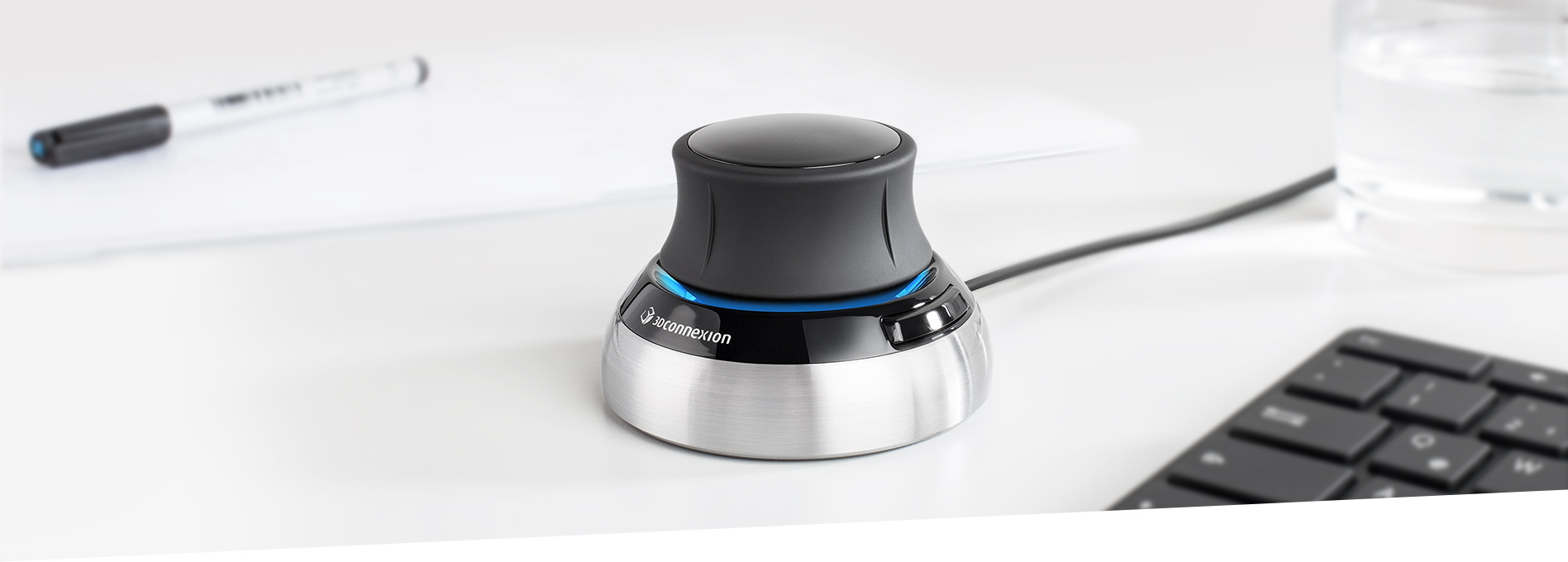
That is probably the best way I can describe the 3Dconnexion SpaceMouse.
If you simply look at it, you might dismiss it as another desktop gadget. It looks surprisingly simple. But simplicity can be deceptive.
Imagine working on a BMW production line where a process takes five individual actions to complete. One day someone discovers a way to reduce those five actions to only three.
Nothing about the final product changes.
The efficiency does.
Or imagine running a machine shop producing 1,000 identical components. If you could eliminate just one tool change, you’ve effectively removed that operation one thousand times.
That is the philosophy behind the SpaceMouse.
It doesn’t magically make you a better designer.
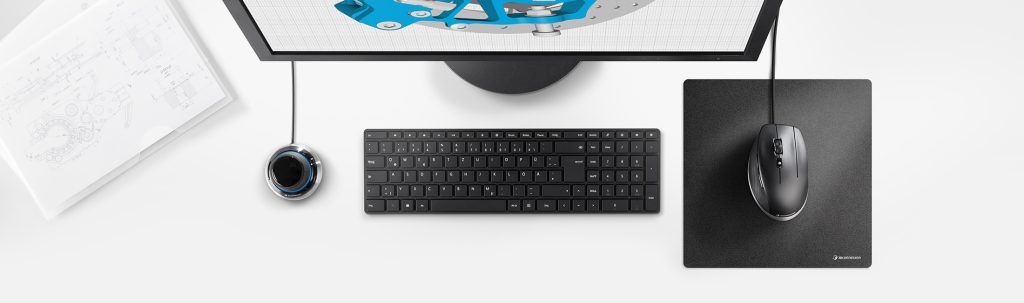
It simply reduces the amount of work required to move around your model. Instead of juggling keyboard shortcuts, mouse buttons, and awkward hand positions, viewport navigation becomes the responsibility of a dedicated controller while your mouse remains focused on modelling.
It’s a small change that adds up over thousands of interactions every single day.
Breaking Old Habits
That brings me back to the title.
Sometimes doing things differently is exactly what we need.
As designers, we naturally do this during the creative process. We step back from a sketch, rotate an object, change perspective, or approach the same problem from another angle.
Using the SpaceMouse felt similar.
After spending time with it, I realised something I wasn’t expecting.
It made me feel calmer.
Traditional mouse and keyboard navigation always feels slightly forceful. Every movement requires clicks, button combinations, and deliberate inputs.
The SpaceMouse feels… softer.
The six-degrees-of-freedom controller glides rather than clicks. Its sensitivity can be adjusted to suit your preference, and the large central controller—if I can call it a joystick—brings back something that feels surprisingly absent from modern digital work.
Craft.
There is a different sensory experience when manipulating a model this way. Instead of issuing commands to software, it begins to feel as though you’re physically handling the object itself.
The closest comparison I can make is working with clay—turning a sculpture in your hands while shaping it from different angles.
It feels more personal.
Looking Beyond the Price Tag
One of my former colleagues, an experienced industrial designer, immediately scoffed at the price.
But that reaction interested me.
He looked at the price before considering what the product actually offered.
What exactly are you paying for?
Let’s start with the hardware.
The metal finish doesn’t pretend to be metal—it is metal. It doesn’t feel like thin stamped sheet metal wrapped around electronics either.
This thing is a tank.
Or, to put it less professionally…
It’s a real chonky boy.

I couldn’t find definitive information confirming the exact chassis material, so I won’t claim it with certainty, but whatever they’re using, the machining and overall construction are exceptional. It feels like a precision tool rather than another disposable computer accessory.
That same attention to detail extends to the packaging.
The unboxing experience genuinely surprised me.
Lift the lid and you’re immediately greeted by printed visual instructions covering the SpaceMouse. Instead of hiding them away in a booklet that most people would never read, 3Dconnexion cleverly places the information exactly where your eyes naturally land.
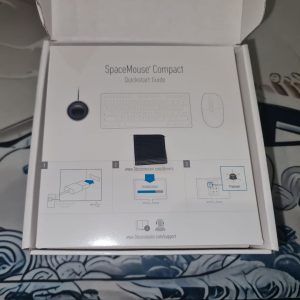
A fabric pull tab invites you to lift the insert.
You instinctively grab it.
Only then do you notice the graphics explaining the controller.
It’s such a small design decision, yet it’s incredibly effective.
The SpaceMouse itself is then presented inside a protective fibre pouch, reinforcing the impression that you’ve purchased something built with care.
It sounds like a minor detail.
But I’ve unboxed products costing significantly more—including watches worth four times the price—that felt far less memorable.
The packaging doesn’t make the product better.
It simply shows that someone thought carefully about the entire experience.
Software Support
Good hardware means very little without good software support.
Fortunately, this is another area where the SpaceMouse performs well.
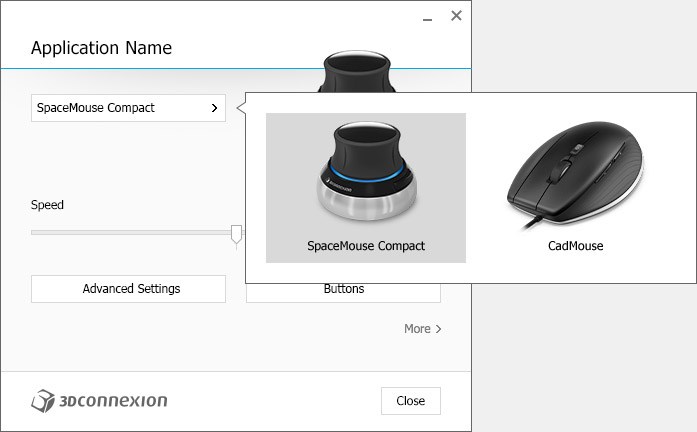
According to 3Dconnexion, the device supports more than 288 professional applications, covering CAD, CAM, architecture, engineering, rendering, animation, and creative software.
You can also create application-specific profiles, customise sensitivity, and assign different shortcut functions depending on the software you’re using.
Once configured, switching between applications feels seamless.
Closing Thoughts
After spending time with the SpaceMouse, I don’t see it as another computer peripheral.
I see it as another way of thinking about interaction.
If working with 3D models is part of your profession, I genuinely believe it’s worth considering. Yes, there is a learning curve, and yes, it takes a little time before your hands develop new muscle memory.
But once it clicks, your workflow begins to feel less constrained.
The best word I can use is free.
It’s surprisingly difficult to describe.
The closest comparison I can think of is an air hockey puck gliding effortlessly across the table. That’s what navigating a 3D model starts to feel like—smooth, fluid, and almost frictionless.
Sometimes innovation isn’t about adding more features.
Sometimes it’s simply about finding a better way to perform the actions you’ve already repeated thousands of times.
If you’d like to learn more about the SpaceMouse range, visit the official 3Dconnexion website or contact one of their authorised distributors or resellers
Official 3Dconnexion Website: https://3dconnexion.com/
Author Profile